> ## Documentation Index
> Fetch the complete documentation index at: https://speckle-assistant.mintlify.site/llms.txt
> Use this file to discover all available pages before exploring further.
# Overview
> Workspaces act as a secure hub for your team and projects using Speckle.
## What is a Workspace?
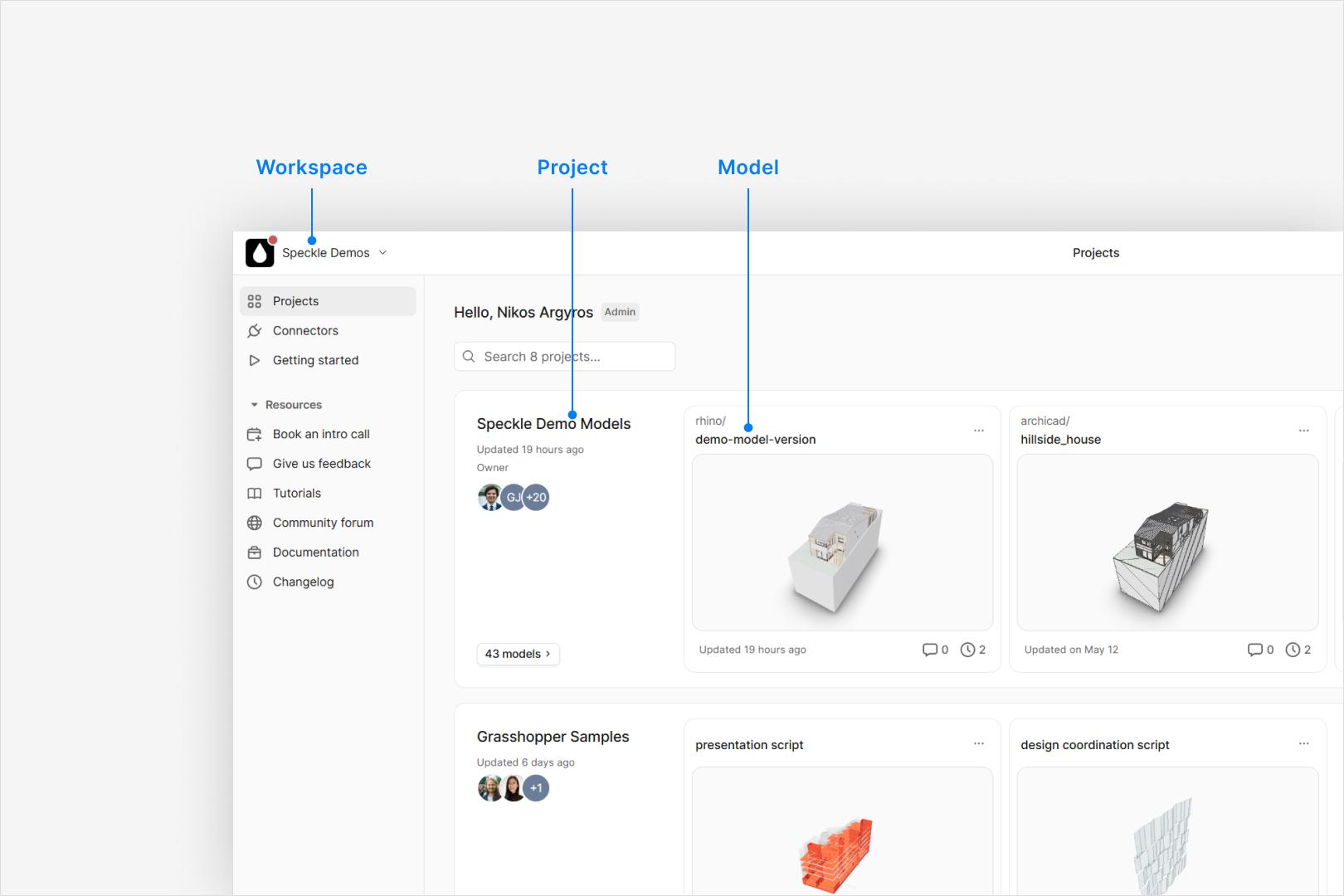
A workspace is an organizational structure for your teams’ projects and models.
It provides a secure, centralized environment for managing roles, permissions, and data access.
Workspaces are flexible and customizable, with optional plans and add-ons to meet your needs.
### Organization
 ## Key Features of Workspaces
Workspaces are designed to:
* Enable granular access control for projects and team members.
* Provide domain-based membership protection for enhanced security.
* Support team collaboration with centralized project and user management.
* Streamline workflows and data sharing.
* Allow for collaborative development of automations with Speckle Automate.
* Create interactive dashboards and analytics with [Speckle Intelligence Dashboards](/analytics/intelligence-dashboards).
* Offer flexible plans with advanced features like Single Sign-On (SSO) and custom data residency.
## Workspace Plans
Speckle offers workspace plans to fit every need:
* Small teams with many projects and models.
* Organizations needing data residency within specific territories.
* Enterprises managing large numbers of users and projects.
For an up-to-date list of plans and features, visit [our main website](https://www.speckle.systems/pricing).
## Explore Further
Use the sidebar to learn more about managing projects, inviting users, setting roles,
and ensuring data security in your workspace.
## Key Features of Workspaces
Workspaces are designed to:
* Enable granular access control for projects and team members.
* Provide domain-based membership protection for enhanced security.
* Support team collaboration with centralized project and user management.
* Streamline workflows and data sharing.
* Allow for collaborative development of automations with Speckle Automate.
* Create interactive dashboards and analytics with [Speckle Intelligence Dashboards](/analytics/intelligence-dashboards).
* Offer flexible plans with advanced features like Single Sign-On (SSO) and custom data residency.
## Workspace Plans
Speckle offers workspace plans to fit every need:
* Small teams with many projects and models.
* Organizations needing data residency within specific territories.
* Enterprises managing large numbers of users and projects.
For an up-to-date list of plans and features, visit [our main website](https://www.speckle.systems/pricing).
## Explore Further
Use the sidebar to learn more about managing projects, inviting users, setting roles,
and ensuring data security in your workspace.