Notice: This user guide is based on the legacy {connector_0} connector.
We recommend using our new connectors instead, as they are easier to use and actively maintained. This legacy documentation may not be up to date.
Speckle's connection to Power BI consists of two parts.
* Power BI Data Connector
* 3D Viewer Visual
These two parts complement each other. Together, they create a synergy that empowers you to unlock your data, making your reports truly immersive and engaging.
# Power BI Data Connector
## Introduction
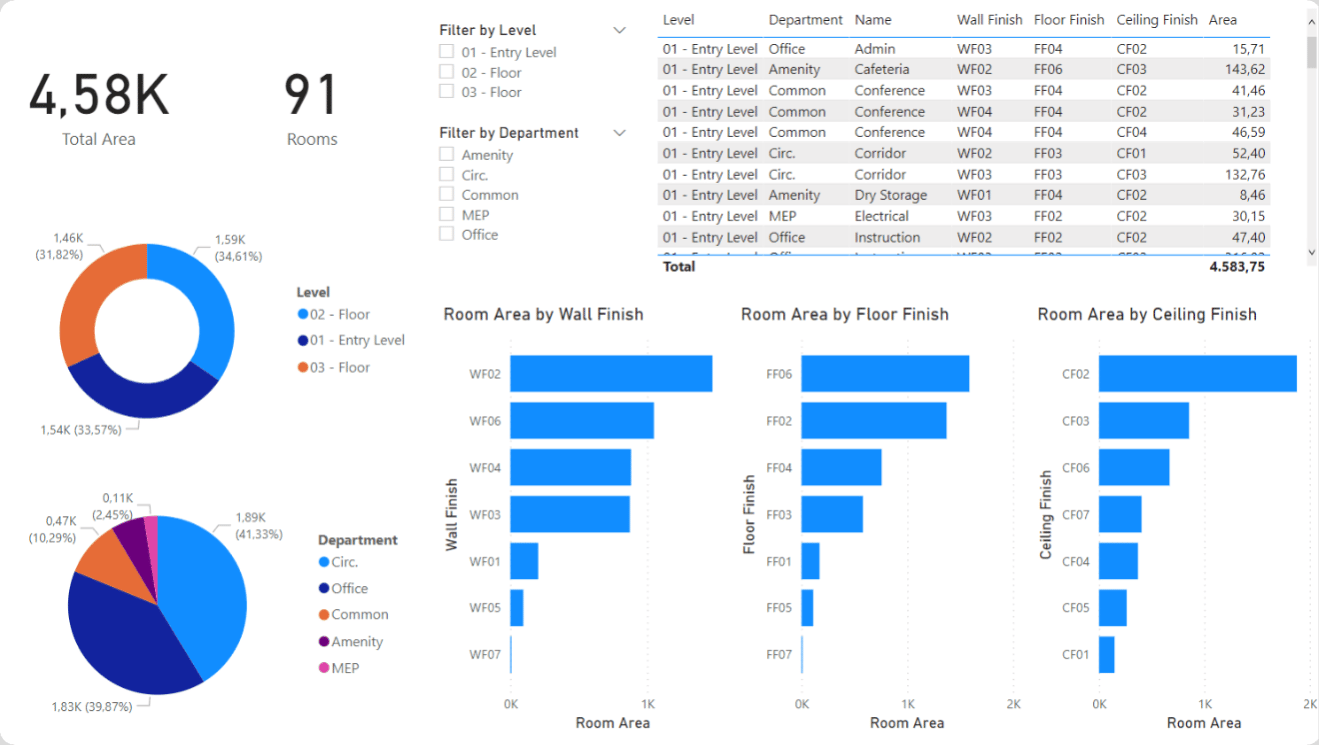
Speckle Connector for Power BI lets you easily get data from Speckle into your Power BI reports and visualizations. You can access and analyze data from those applications without hassle by connecting Power BI with Speckle's extensive connections with AEC applications (like Revit, Archicad, Navisworks, Grasshopper, etc.).
 ## Features
Power BI Connector allows you to import your Speckle model, version, or Object data using the corresponding URL. The following data will be retrieved depending on which type of URL you use:
* **Model URL** -> the most recent version on this model
* **Version URL** -> this version
* **Object URL** -> this object
## Features
Power BI Connector allows you to import your Speckle model, version, or Object data using the corresponding URL. The following data will be retrieved depending on which type of URL you use:
* **Model URL** -> the most recent version on this model
* **Version URL** -> this version
* **Object URL** -> this object