> ## Documentation Index
> Fetch the complete documentation index at: https://speckle-assistant.mintlify.site/llms.txt
> Use this file to discover all available pages before exploring further.

# Object Tooltips

export const connector_0 = "PowerBI Visual"

<div class="callout my-4 px-5 py-4 overflow-hidden rounded-2xl flex gap-3 border-2 border-red-600 bg-red-100/50 dark:border-red-600 dark:bg-red-400/20" data-callout-type="warning">
  <div class="mt-0.5 w-4" data-component-part="callout-icon">
    <svg class="flex-none w-5 h-5 text-red-700 dark:text-red-300" fill="none" viewBox="0 0 24 24" stroke="currentColor" stroke-width="2" aria-label="Warning">
      <path stroke-linecap="round" stroke-linejoin="round" d="M12 9v2m0 4h.01m-6.938 4h13.856c1.54 0 2.502-1.667 1.732-3L13.732 4c-.77-1.333-2.694-1.333-3.464 0L3.34 16c-.77 1.333.192 3 1.732 3z" />
    </svg>
  </div>

  <div class="text-sm prose min-w-0 w-full text-red-700 dark:text-red-300" data-component-part="callout-content">
    <b>Notice</b>: This user guide is based on the legacy {connector_0} connector.<br />
    We recommend using our new connectors instead, as they are easier to use and actively maintained. This legacy documentation may not be up to date.
  </div>
</div>

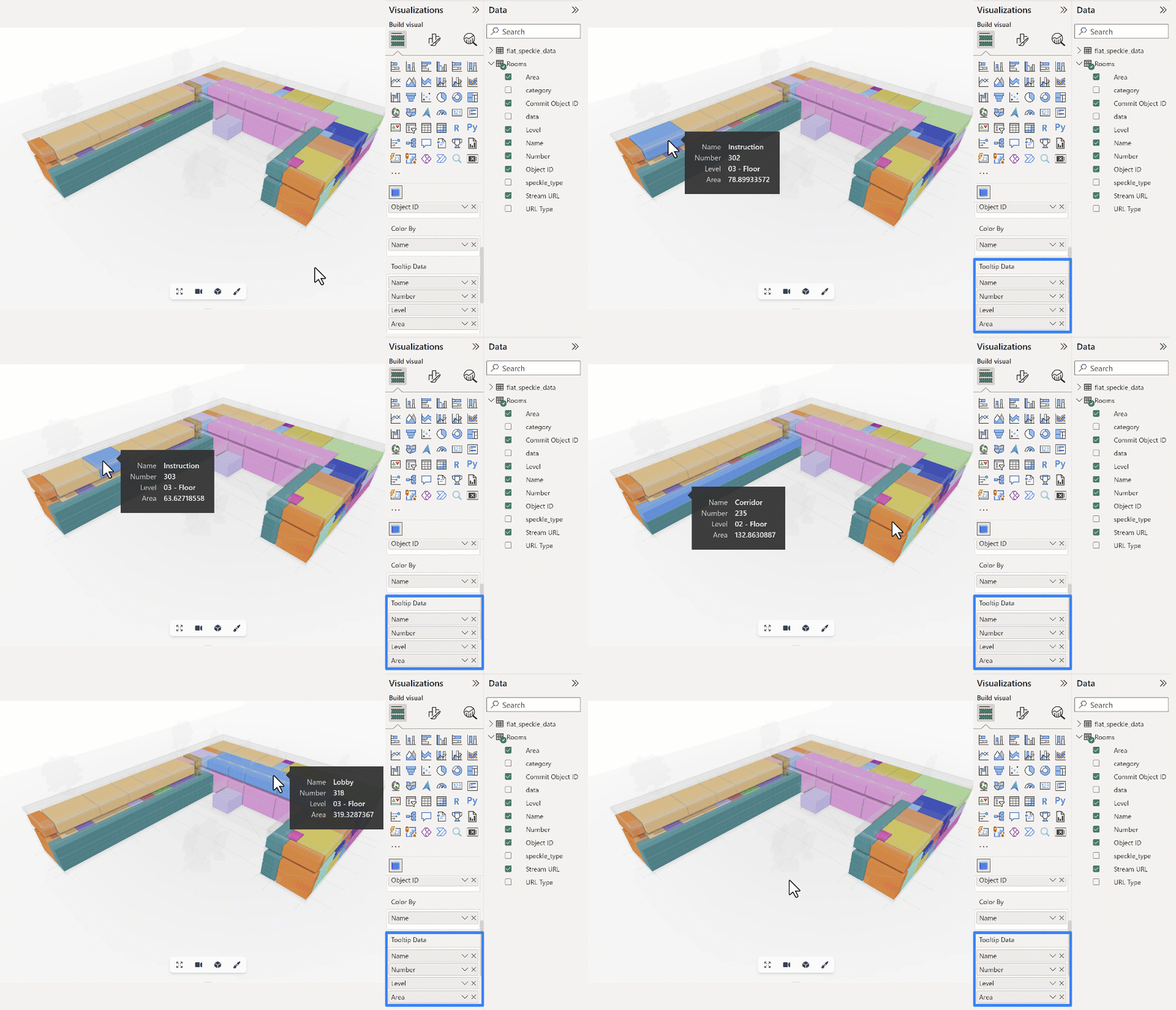
When an object is selected in the Power BI viewer, a tooltip showing the object's properties and values will be displayed.

The information displayed will be extracted from the **Tooltip Data** input. You should be able to add as many as necessary.

The tooltip's position will be updated as the camera moves through the model.
<Frame>
  <img src="https://mintcdn.com/speckle-assistant/WU-XhQlBBfFr6sbO/images/legacy/powerbi/14-object-tooltip.gif?s=7059a055775ffbd0dfa61c46149543e5" alt="Object tooltip demonstration" width="960" height="550" data-path="images/legacy/powerbi/14-object-tooltip.gif" />
</Frame>

<Tip>
  These tooltip values are not bound to Speckle data, meaning you can merge other data sources into your query and display "non-speckle data" in your Speckle object's tooltips.
</Tip>
